
In order to enable this feature, the agency must go to the HHAeXchange management system and create a special “NEVVON_Certificate” Document Type first. Once created, the Nevvon certificates will be imported directly to the Document Management Center.
How to Create the Certificate Type
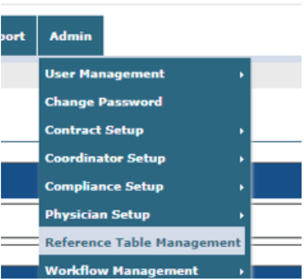
1. Go to the Reference Table Management
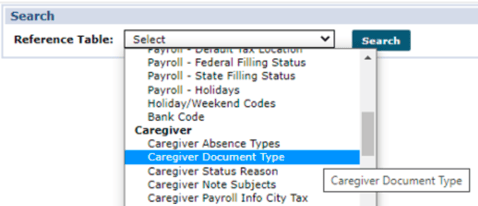
2. Select Caregiver Document Type (under “Caregiver” section)
3. Click Add on the right side
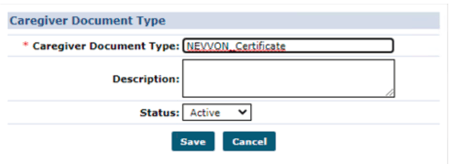
4. In the form, Type NEVVON_Certificate in the Document Type field, and click Save
5. Now the Caregiver Document Type list should have the NEVVON_Certificate entry

How to View a Certificate in HHAX
1. Open a Caregiver profile page, and click the Document Management section on the left-menu
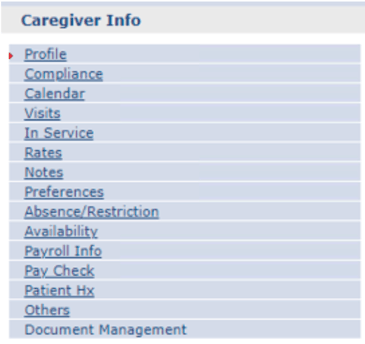
2. Any Nevvon certificate will show in the list as follows

3. To View/Download the doc, click the green Link button on the far right
4. Then choose View Document
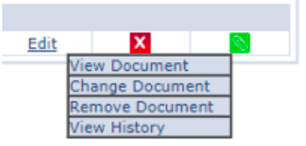
5. The document will download as a PDF directly to your Downloads folder